
How to Design a Creative Resume in 5 Easy Steps
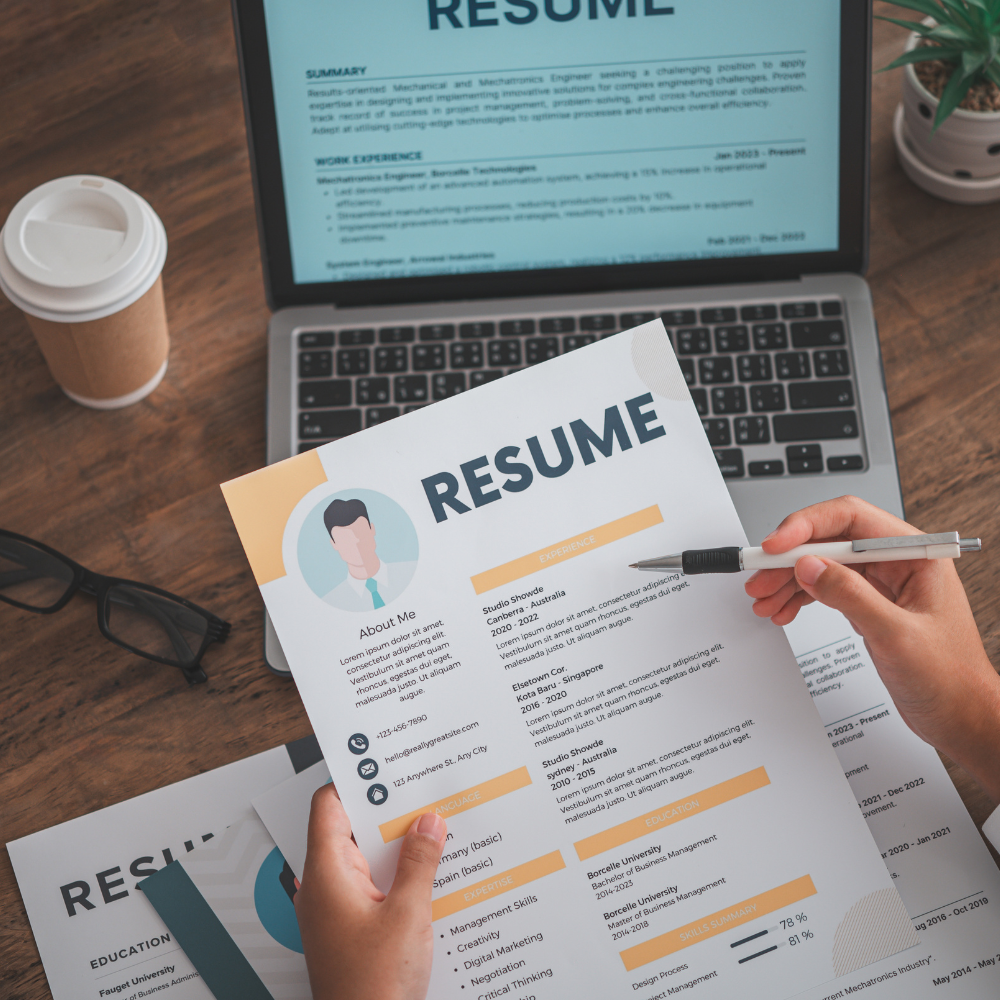
A creative resume uses color, layout, graphics, and a link to your portfolio to put your skills on display. It works best for design, marketing, media, and tech roles, where how you present yourself matters as much as your experience. Below you’ll find examples by role, free templates you can copy, and the components every version should include.
One caveat up front: many employers screen applications with applicant tracking systems and AI tools that struggle to read heavy design, so keep a clean, text-based version for online applications and save the creative one for when a person will see it.
What Is a Creative Resume?
The creative resume style is one that doesn’t adhere to traditional norms in terms of format and content. It’s eye-catching and visually appealing, making use of unique elements like color, font formatting, and graphics to convey information.
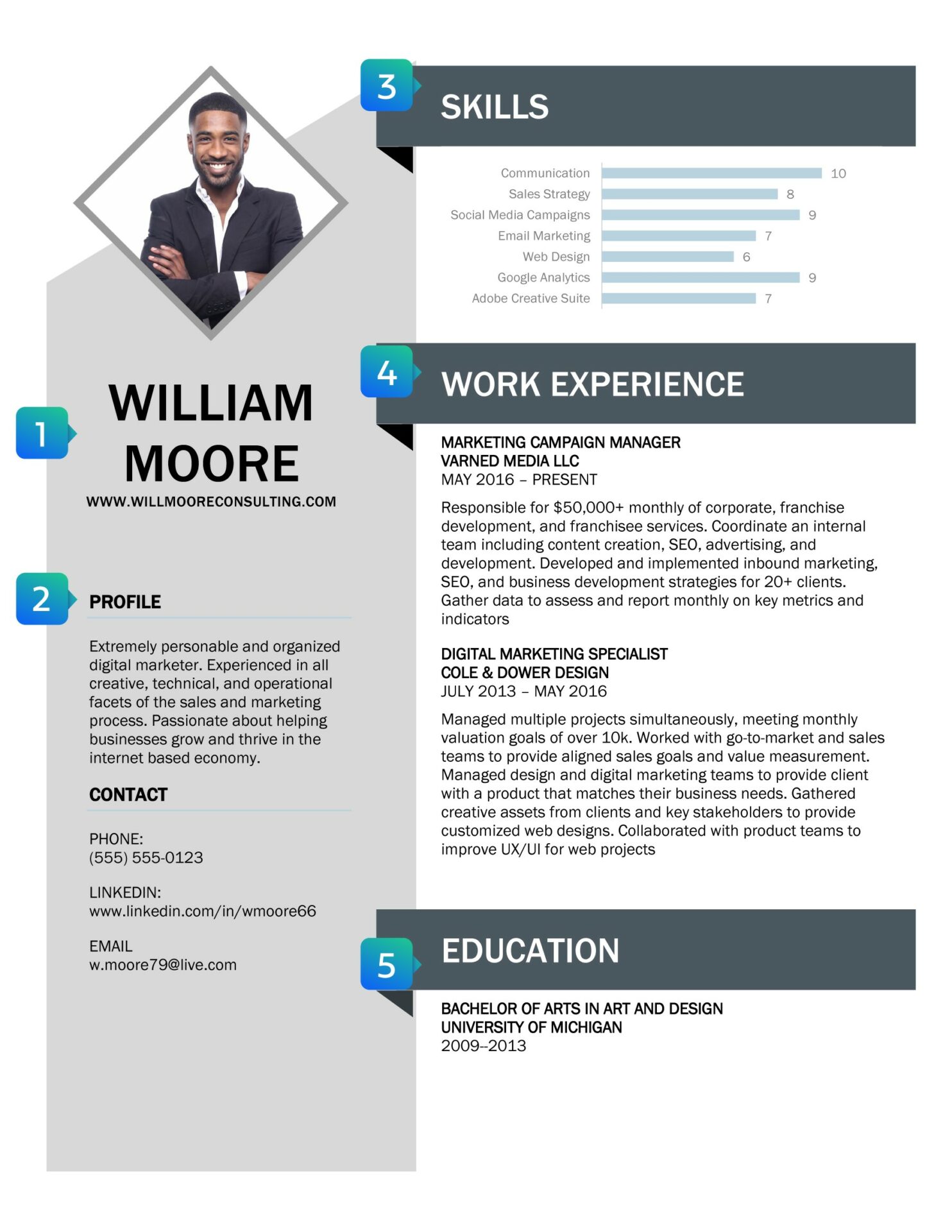
Candidates using a creative format often include external links to multimedia content, such as videos and online portfolios, which are important for design-based and other creative roles. You might even include a headshot, as seen in the example creative resume below.
A creative resume can help you stand out when applying for jobs that value outside-the-box thinking. It can also help you showcase skills that are relevant to the job, like graphic design or data visualization.
Who Should Use a Creative Resume?
- Anyone applying for jobs in creative fields like design, media, film, or tech
- Job seekers looking to use their resume to showcase relevant skills
- Applicants for jobs that require a portfolio or other supporting materials
- Candidates with an especially lengthy or diverse work history who want to sharpen the focus on their skills
Who Shouldn’t Use This Type of Resume?
- Candidates for jobs in conventional fields like law or banking
- Applicants to jobs that use an applicant tracking system (ATS), which can’t read most creative resumes
- People who are more comfortable working with text-based formatting
Creative Resume Format and Key Components
Assuming you’re in a field that accepts it, building your resume can actually be a lot of fun. The format you use and the components you include are entirely up to you based on what you wish to showcase. If you’re applying for a video production job, for example, you might create a video clip to accompany each section of your resume.
Even though you should think outside the box, there are still a few essential components to include that most hiring managers will be looking for:
- Contact info and website link
For most creative professionals, your skills can’t be summed up in words on paper. That’s why it’s essential to include a website with additional assets that demonstrate your abilities in addition to your regular contact info. This might be a personal blog that showcases clips if you’re a writer or a portfolio of your images if you’re a photographer. Include links that give hiring managers the opportunity to explore your skills beyond your resume. - Profile
A profile is a short statement that sells your strengths and sums up your most relevant experience. Unlike in a traditional resume, where it’s best to keep your summary focused on professional skills, the profile in a creative resume might include tidbits that help the hiring manager learn more about the candidate as a person, like passions and hobbies.
- Skills
Even if you’re using this format, you still need to focus on highlighting the skills that are most important for the job. Use the job description to discern which skills the hiring manager is most likely to be looking for, then tailor your resume for each application. Visuals like graphics can be a great tool for showcasing different skills—see the resume shown here for an example. - Experience
No matter how eye-catching your resume is, most hiring managers will still go straight to your work experience section first. Be sure to include the essentials—the name of the company, your position, and the dates you were employed—along with your most noteworthy achievements. - Education
List the name of the institution and the degree or credential you received. If you’ve received any specialized training that’s related to the job, it can be included here, too.
Creative Resume Examples
Here are three creative resumes built for different fields. Each one uses design to pull the reader toward the skills that matter most for the role. Use them for inspiration, then build your own around the work you want to highlight.
Developer resume
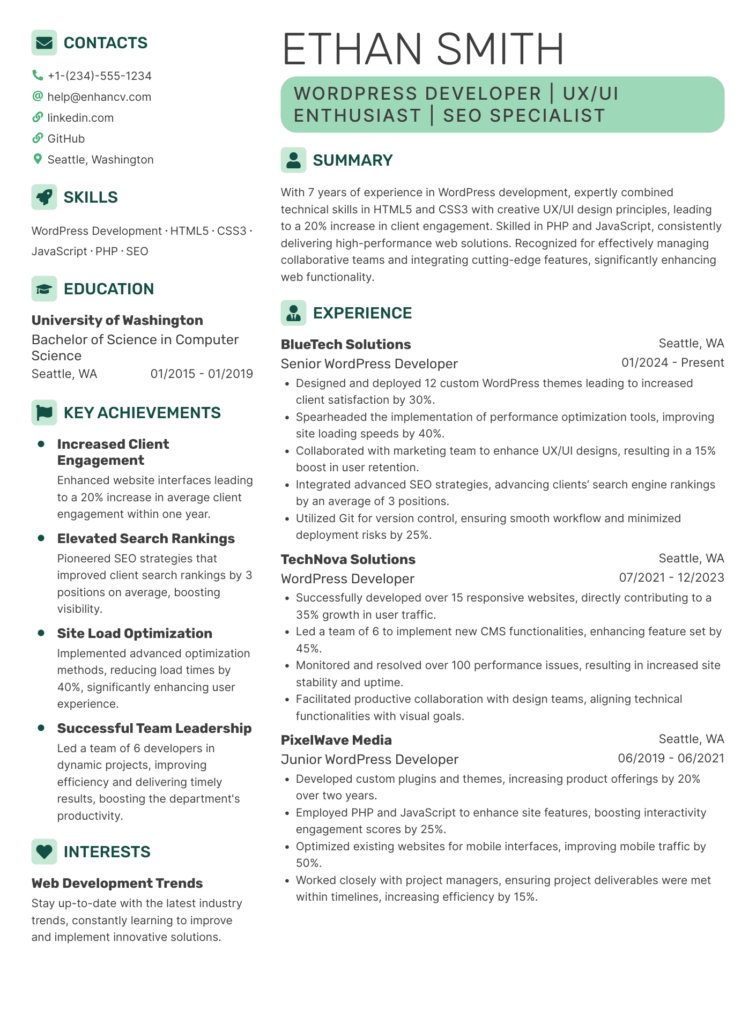
A two-column layout in a single green accent, with icons marking each section and a Key Achievements column that lifts quantified wins, a 40% speed gain and a 30% jump in client satisfaction, out of the job history. It reads as designed while staying easy to scan, which fits technical roles where results carry as much weight as the tech stack.
Creative director resume
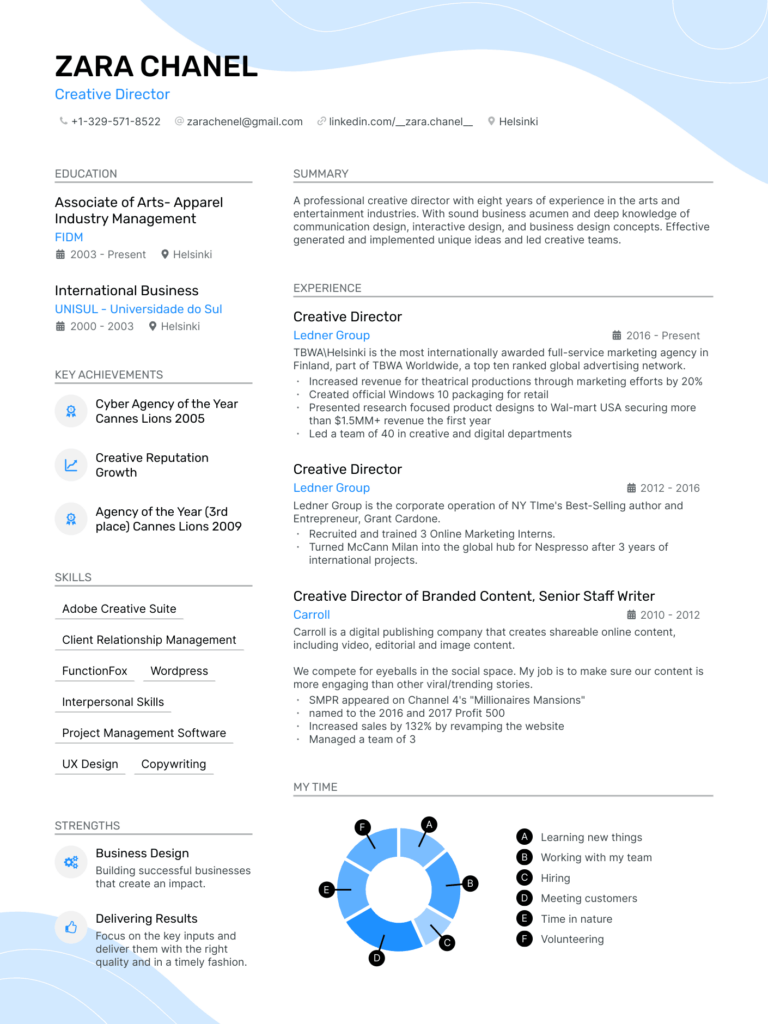
Color, soft graphics, and a My Time chart showing how this leader spends a week give it a personality that plain text rarely conveys. The layout still leads with role, company, and results, so the design supports the story rather than burying it. A strong fit for senior creative and marketing roles where taste is part of the pitch.
Marketing assistant resume
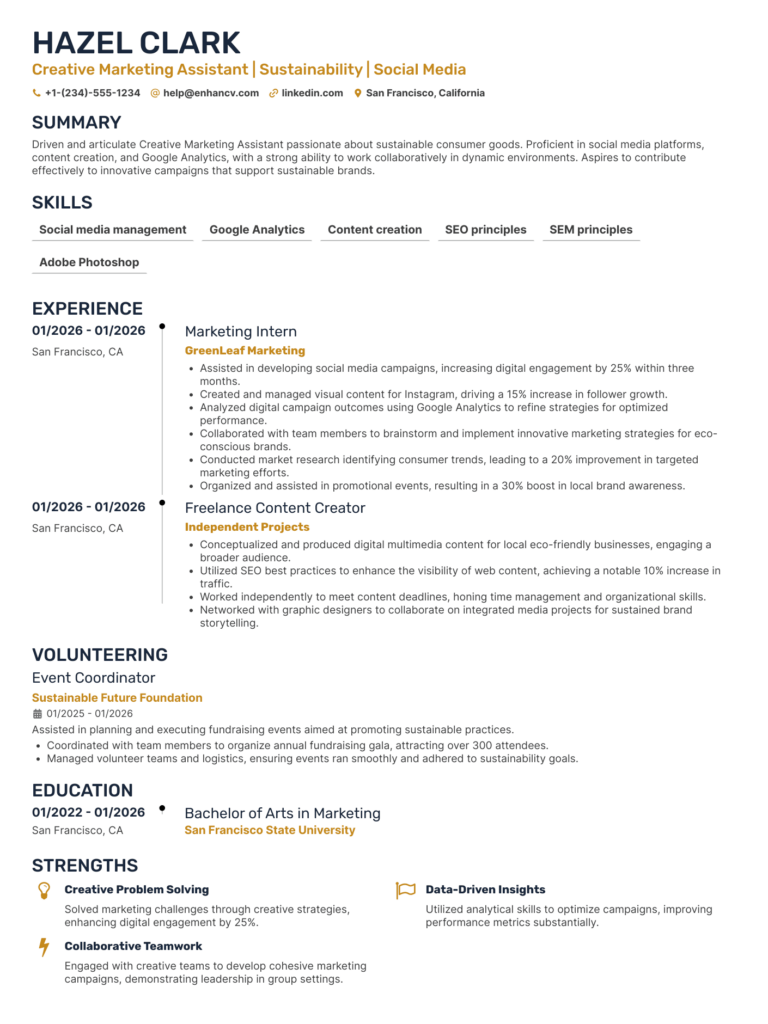
A restrained design, one gold accent, a clean timeline, and tagged skills, makes an early-career mix of an internship, freelance work, and volunteering feel full and organized. Restraint is the lesson: for a first marketing role, a little color and structure goes further than heavy graphics.
Creative Resumes, ATS, and AI Screening
Most online applications run through an applicant tracking system (ATS), and in 2026, a growing number add AI tools that read and rank resumes before a person ever sees them. Both work best with plain text. Multi-column layouts, graphics, text buried inside images, and unusual fonts often get scrambled or skipped, which means the skills you designed so carefully may never register.
The fix is to keep two versions. Use a clean, text-based resume for any online application or ATS upload, with standard headings, a single column, and a common font. Save your creative version for moments when a human will see it directly: a portfolio site, a networking intro, an email to a hiring manager, or an in-person interview.
A few rules keep you safe in both worlds. Put your real keywords in actual text, not inside a graphic. Keep your contact details as selectable text. And never lean on color alone to carry meaning, because design should support what you’re saying and still read clearly when the design is stripped away.
FAQs
Get More Hiring Tips Straight to Your Inbox